Projects
SSH Honeypot Simulation
Project Link
The project code is available on GitHub at: [LINK]
Project Report
The project report is available at: [LINK]
Demo Video
A honeypot is an intentionally created fake system that is designed as a trap for potential attackers. They deviate the attack to the artificial system rather than the original system, and even it helps you detect the malicious traffic and track them. It appears as part of a network but is actually isolated and closely monitored because there is no reason for legitimate users to access a honeypot, any attempts to communicate with it are considered hostile. They can be categorized as production or research honeypots.
We have made a research honeypot in the mini-project. We have implemented an SSH honeypot in this project, which will act as a proxy server for any central server and be used to track the behavior of attacks that are done on any main servers. The function of a honeypot is to represent itself on the internet as a potential target for attackers (usually a server or other high-value asset) and to gather information and notify defenders of any attempts to access the honeypot by unauthorized users. While providing fake garbage data to the hackers to keep them engaged, the honeypot will asynchronously log all hacker activity in the logger and even provide convincing fake banners for trapping automated scanners like NMap and Nessus.
Technology Stack
- Python 3.8
- Poetry
- Visual Studio Code
- Docker
- Docker Compose
- OpenSSH v2
- Git
- GitHub
- Paramiko Python Library
System Architecture
-
Block Diagram

-
Deployment Diagram

Execution Screenshots
-
Executing the Honeypot Server

-
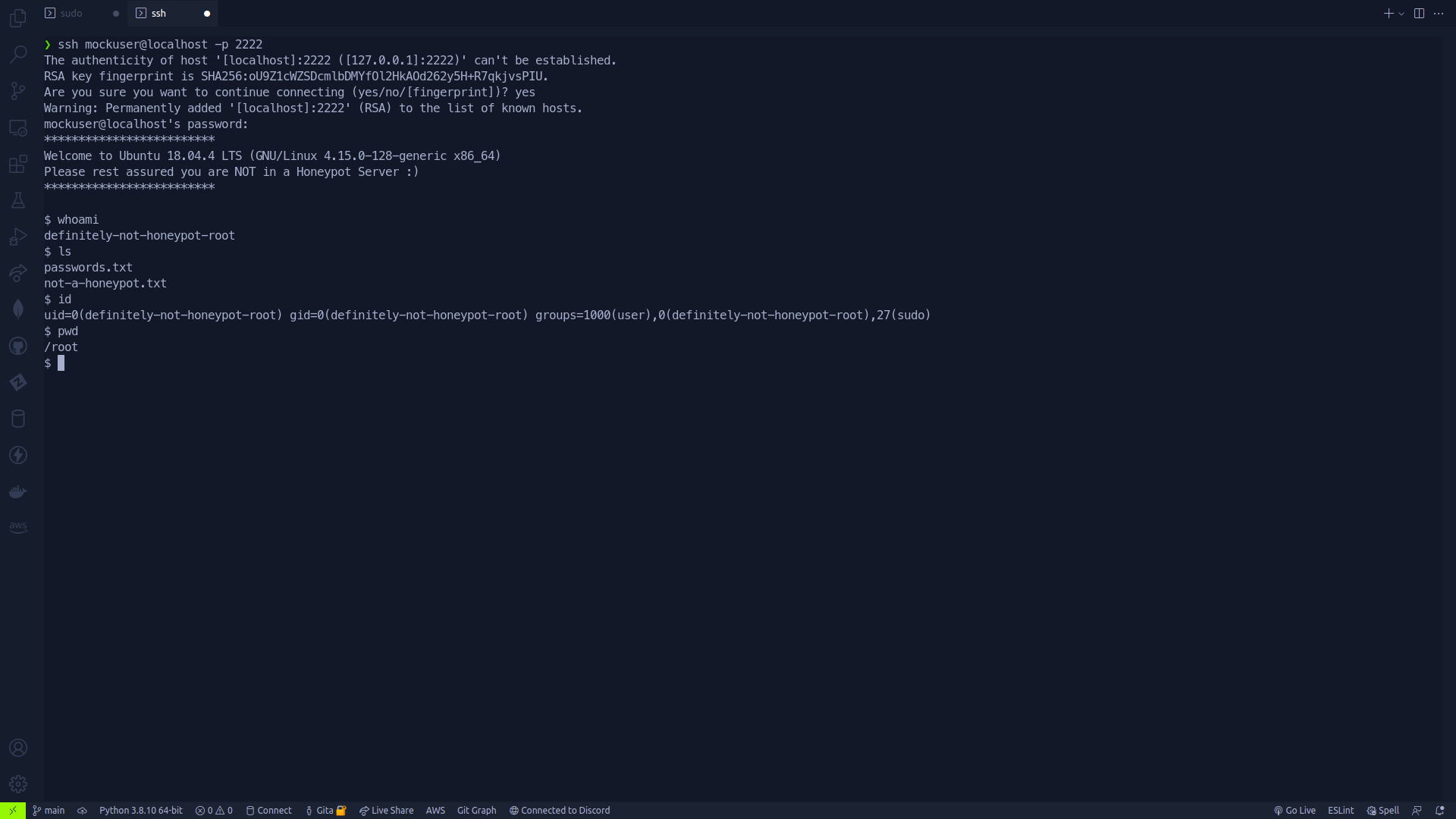
SSHing into the Honeypot Server
-
Honeypot Server Logging all Hacker activity

-
Honeypot Server trapping automated scanners

SSDP-based Auto-discovery of Smart Home Devices
Project Link
The project code is available on GitHub at: [LINK]
Project Report
The project report is available at: [LINK]
Demo Video
How does an Alexa smart speaker automatically detect newly connected smart home devices connected to the same network? This is the question which has been a key motivation for this mini project.
According to a survey conducted in 2019, approximately 37 per cent of Indian respondents stated that they owned a smart speaker. In 2020, Amazon smart speakers had a market share of 79 per cent in India. Google followed it, a distant second at 11 per cent. Over a million smart speakers were shipped in India in that year, Echo Dot (3rd Gen) and Echo Dot (4th Gen) were the top two smart speakers. In 2017, Amazon was the first company to launch smart speakers in the country.
As per the statistics shown, we can clearly see that India's smart home devices market has been booming since its inception. But this technology is not understood by most of its users. It seems like magic to most of its consumers. From the auto-discovery of devices to the efficient pairing with other smart home devices like a smart LED bulb, most of this technology is proprietary code abstracted from the end-user.
The mini-project aims to demystify this technology behind the smart home devices like the Phillips Hue, Alexa and Google Home ecosystems. The project aims at demonstrating the working of the SSDP protocol, its uses and the working of UPnP protocol service descriptions. The demonstration also includes an example of how users can deploy this ecosystem to a Raspberry Pi and how smart LED bulbs can be created using NodeMCUs.
Technology Stack
- Node.js
- Yarn
- NodeMCU ESP8266
- Raspberry Pi
- LEDs, Resistors
- Breadboard, Jumper Wires
System Architecture
-
System Diagram

-
Flow Diagram

Execution Screenshots
-
Circuit Diagram

-
Executing the Server

-
Login Dashboard

-
Device Discovery

-
NodeMCU in Action
